Tesla Camp Mode Checklist: What to Pack to Sleep in a Tesla
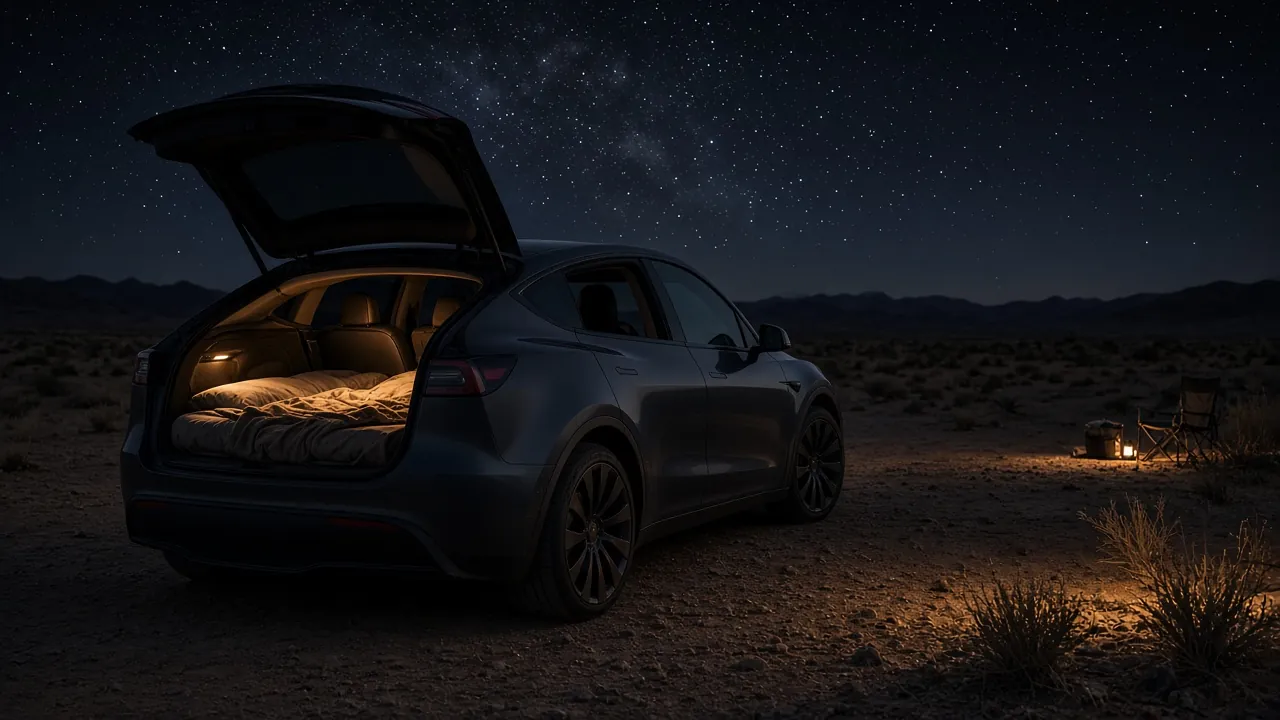
Electric vehicles are surprisingly good campers. There is no engine to idle, the cabin can hold a set temperature all night, and the floor of many models folds flat. Tesla even built a dedicated setting for it: Camp Mode. But Camp Mode only handles climate and power; it does not give you a mattress, privacy, or a way to cook. This checklist explains what Camp Mode actually does according to Tesla's own owner's manuals, and the gear categories that fill in the rest.
How we put this together: this is a research-based checklist built from Tesla's official owner's manuals and support pages, plus general car-camping practice. We have not tested specific products for this article. Tesla software changes over time, so always check the current owner's manual for your vehicle.
What Camp Mode does (per Tesla)
According to Tesla's owner's manuals for Model Y and Model 3 (2017–2023), Camp Mode:
- Keeps the climate control system running in Park to maintain the cabin temperature you set.
- Powers electronics through the USB ports and the low-voltage outlet.
- Keeps the touchscreen on.
Tesla's summer-driving support page also covers Camp Mode as a way to stay comfortable while sleeping in the car.
What Camp Mode does not do (important)
- Security features are off. Tesla states that while Camp Mode is active, Sentry Mode and the vehicle alarm are disabled, and Walk-Away Door Lock is inactive. Lock the doors yourself from the inside or the app.
- It needs Park and enough charge. The manuals say these modes are available only in Park, should not be used when the battery charge is low, and (for Model 3/Y) require that the car is not in Low Power Mode. The Model S manual says to make sure charge is at least 20%.
- It can turn off. The Tesla app will notify you if climate turns off for any reason, including the car entering Low Power Mode.
How to turn it on
- Make sure the car is not in Low Power Mode.
- Shift into Park.
- Adjust the climate settings to the temperature you want.
- On the climate controls screen, choose Camp Mode. It can also be turned on from the Tesla app.
Based on Tesla's Model 3 (2017–2023) and Model Y owner's manuals. Menus change with software updates, and newer Model 3 cars have their own manual, so check yours.
The Tesla Camp Mode gear checklist
1. Sleep system
- A mattress sized for your model. Many owners use a folding foam or self-inflating mattress cut to fit the rear cargo floor with the seats folded. Measure your space with the seats down before you buy, including where the floor is not flat.
- Sleeping bag or quilt and pillows. Camp Mode controls the air temperature, but a bag rated for the night's low is a safety backup if climate turns off.
- A small step stool or organizer to keep the sleeping area clear of gear.
2. Privacy and light control
- Window shades or covers. Fitted window covers or a magnetic or suction-cup set block light and add privacy. Many sellers make sets for specific Tesla models; make sure you get the right year and model.
- A glass roof sunshade if your model has a glass roof, to cut early-morning light and heat.
- Eye mask and earplugs for campgrounds with lights and noise.
3. Ventilation and air
- Window vent visors or mesh window socks if you want fresh air with a cracked window while keeping bugs out.
- A small USB fan for air circulation, powered by the USB ports Camp Mode keeps live.
Because an EV has no combustion engine, running climate overnight does not create exhaust inside the cabin the way idling a gas car would. Never bring a fuel-burning heater or stove into the cabin.
4. Power and charging
- USB-C cables and a multi-port charger for phones, headlamps, and tablets.
- A low-voltage outlet adapter for devices like a 12V fridge. Check your vehicle's manual for the outlet's rated limit before plugging in anything that draws significant power.
- Optional portable power station. If you want to run higher-draw devices, keep a separate battery like those in our portable power station roundup. It also gives you power at camp when you're away from the car. EcoFlow DELTA 2 on EcoFlow US
- Charging plan. Arrive with plenty of charge, and know where the nearest charger is before you settle in. Avoid starting the night at a low state of charge, as Tesla advises.
5. Food and cooling
- A 12V compressor fridge or cooler. A fridge running from the low-voltage outlet keeps food cold without ice. See our 12V fridge roundup for capacity and power draw. Dometic CFX5 45 (CFX3 45 replacement) on Dometic US
- Outdoor cooking kit. Cook outside the car. A camp stove used outdoors, a pot, utensils, and a lighter cover most meals. Some campers use an induction burner on a power station; check the power station's AC rating first.
- Water. A refillable jug of at least a few liters per person per day.
6. Organization
- Frunk and sub-trunk bins to move gear out of the sleeping area at night.
- Soft packing cubes so you can find clothes in the dark.
- A trash bag and a small bag for wet items.
7. Lighting
- A rechargeable headlamp with a red-light mode.
- USB-powered LED strip or lantern for soft cabin light that is easier on the eyes than the touchscreen.
8. Safety and comfort backups
- Your phone with the Tesla app logged in, so you get notified if climate turns off.
- A physical key card stored somewhere you can find quickly.
- First aid kit, small fire extinguisher, and a tire inflator.
- A warm layer in case climate shuts off at night.
- A plan for where you're allowed to stay. Overnight parking rules vary. Campgrounds, some public lands, and designated sites are the safest bets.
Energy use: what to expect
Tesla does not publish one fixed overnight energy figure for Camp Mode, because use depends heavily on outside temperature, your set point, cabin size, and what you plug in. Mild nights use much less energy than very hot or very cold ones. A practical approach is to note your state of charge before bed and in the morning on your first trip, then plan future trips from your own number. Keep a comfortable charge buffer to reach the next charger.
Sample night setup
- Arrive with ample charge; check the nearest charger.
- Fold the rear seats, lay out the mattress and bedding.
- Install window covers and the roof shade.
- Move bags to the frunk and front seats.
- Plug in the fridge and phone chargers.
- Shift to Park, set your temperature, and turn on Camp Mode.
- Lock the doors manually, since Walk-Away Door Lock and the alarm are off.
- Keep your phone nearby for Tesla app notifications.
Bottom line
Camp Mode solves the hardest part of sleeping in a car: staying at a comfortable temperature all night, with power for your devices. The rest is gear. Start with a mattress that fits your model, good window covers, a way to keep food cold, and a lighting and charging kit. Remember the trade-offs Tesla documents: Sentry Mode and the alarm are off, and you should not start with a low battery.